You can now report errors or lagging issues immediately after a game.
This will ensure that games are reported and players will receive their elo ratings back as quickly as possible.
In order to report an in-game issue:
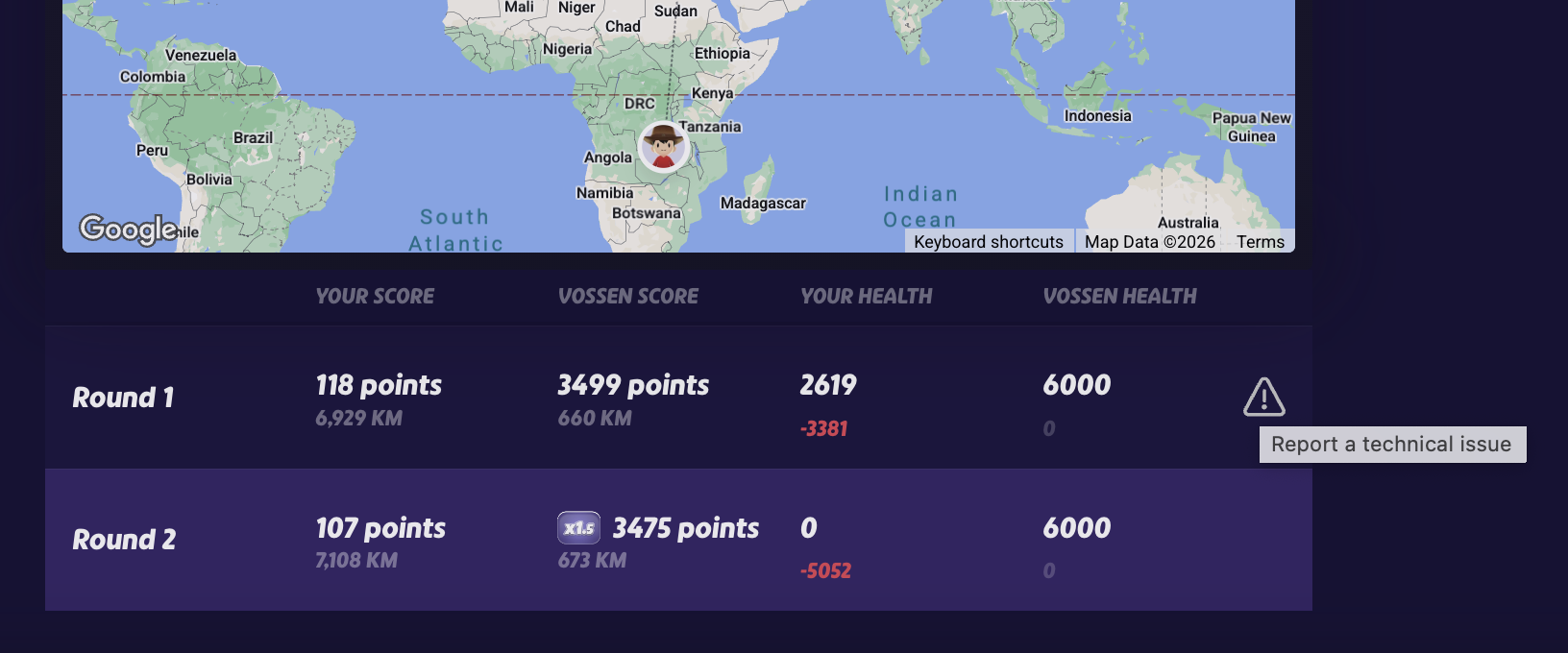
- Play through the end of the game until your each the game summary page, showing each round.
- Select the round which you experienced the error and you will see a'report' icon on the right side.
- Select the icon to report the issue.
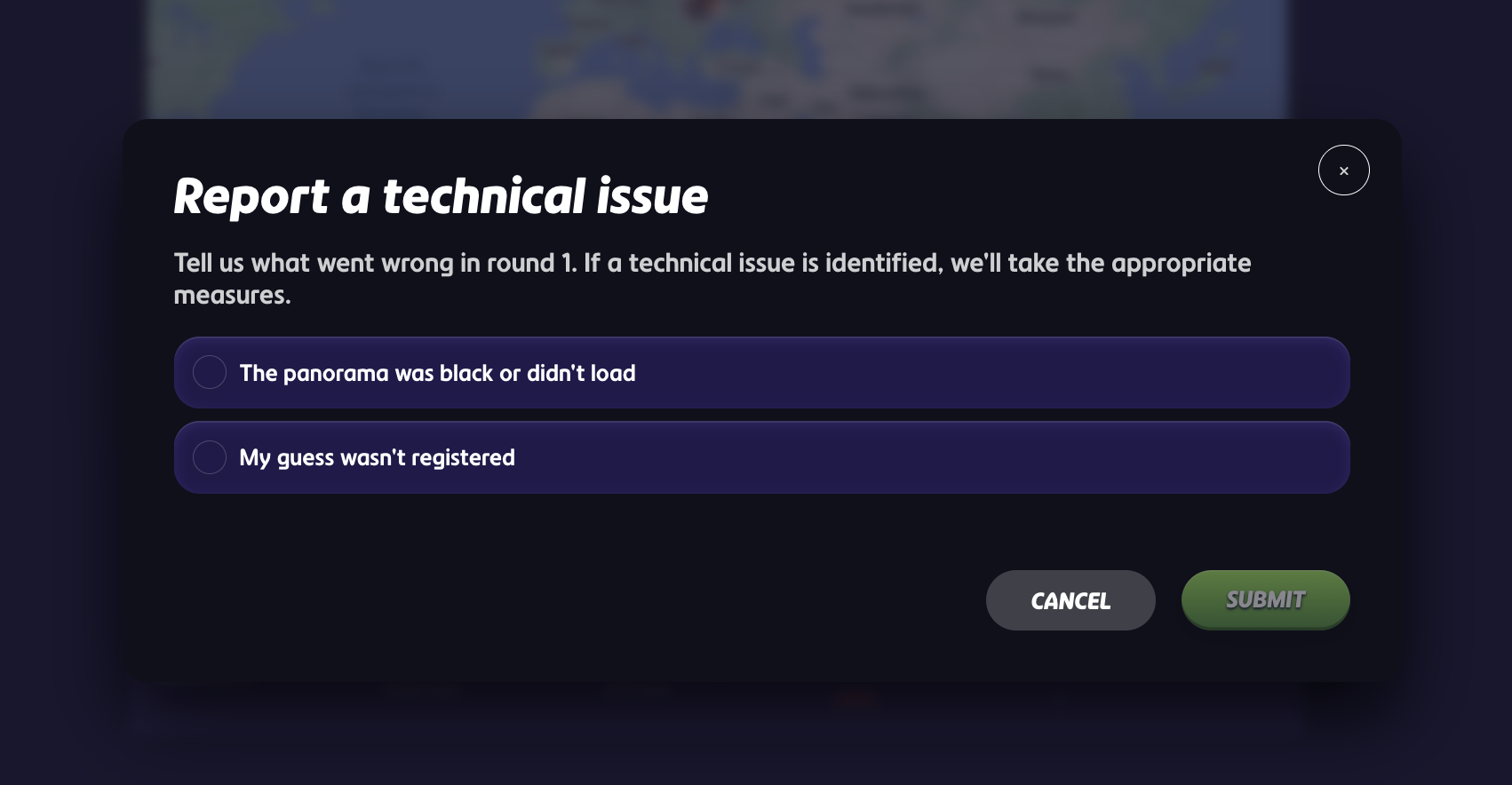
Some common issues we recommend reporting are:
- Black/white screen
- Lagging or did not load
- Plonk/guess not registered
Once your report is sent in and reviewed, you will receive your elo rating back.
Was this article helpful?
That’s Great!
Thank you for your feedback
Sorry! We couldn't be helpful
Thank you for your feedback
Feedback sent
We appreciate your effort and will try to fix the article